You’re under pressure to automate—what could go wrong if you’re “mostly right”
When someone says “just automate it,” they usually mean the easy part: the 80–90% of cases that look the same every day. The demo works, the queue moves faster, and costs drop. That’s the pressure.
The problem is what “mostly right” does in a customer-facing workflow. A small error rate can still create a steady stream of bad outcomes: the wrong account gets locked, a legitimate claim gets denied, a safe post gets removed, or a regulated message gets sent without the right wording. Fixing it often means digging through logs, reversing downstream actions, and explaining decisions to angry customers or auditors.
So the real question isn’t whether to automate. It’s how far to let it run before humans step in.
Start with one workflow, not the whole AI rollout
That “before humans step in” line is where teams usually overreach: they try to decide oversight for every workflow at once. Then the argument turns vague—support wants safety, finance wants savings, legal wants certainty—and nothing ships. Pick one workflow that already has a clear “done” state and a measurable outcome, like routing new tickets to the right queue or flagging listings for review.
Start by mapping the current steps and naming the single decision you want the model to make. If a person currently reads three fields and chooses A vs. B, automate that decision first, not the whole case. You’ll learn what the model misses, what data is unreliable, and where the handoff breaks when the output is wrong.
The constraint is time: running a careful pilot still means duplicate work for a while. Plan for it. If you can’t afford parallel runs or you can’t measure “correct,” that workflow isn’t your starting point.
When an error happens, how painful is it to unwind?
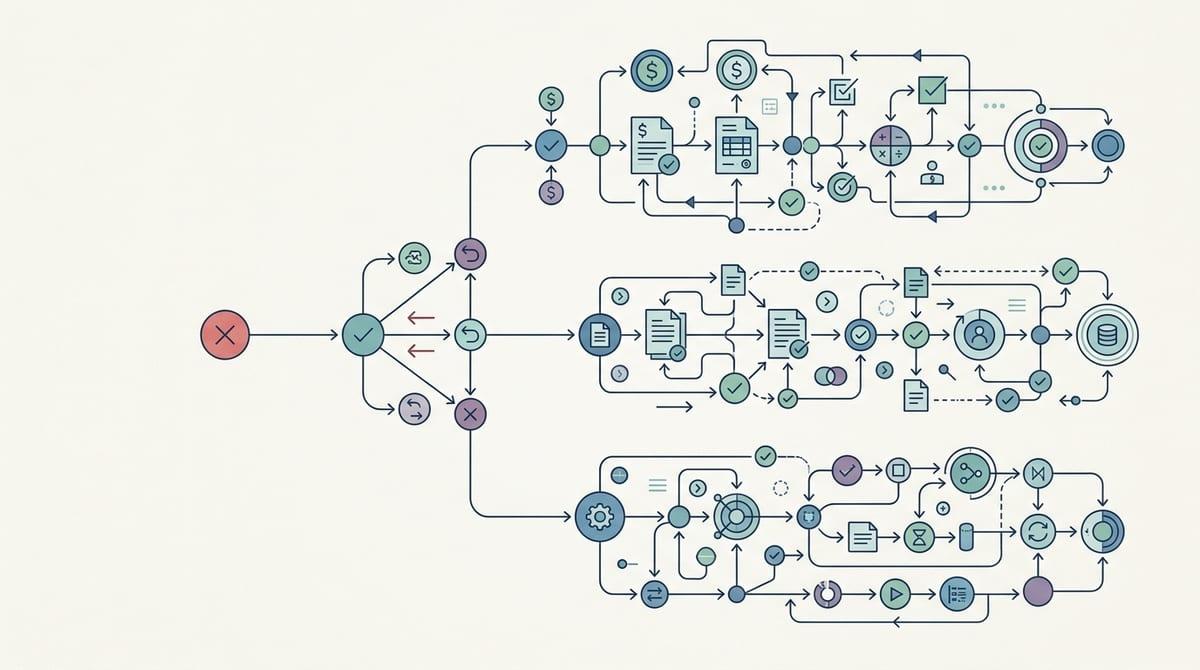
That “where the handoff breaks” is what you pay for when the model is wrong. In a familiar workflow like support triage, a bad route is annoying but reversible: you can move the ticket, apologize, and carry on. In eligibility checks or moderation, the same miss can trigger a chain—auto-deny, auto-email, account restriction, refund hold—where each step creates more customer contact, more internal work, and more screenshots that will show up later.
Before you pick an oversight level, write down what “undo” means in concrete steps. Can you revert it with one action, or do you need to touch five systems and notify a customer? How far does the output travel—into billing, into compliance records, into third-party tools? If the answer involves manual backfills, exception queues, or legal review, you’re not just managing error rate. You’re managing cleanup cost.
One hard constraint: teams rarely budget time for unwinds. If you don’t assign owners, logs, and a rollback path up front, you’ll learn your true oversight needs during the first incident.
Edge cases are where oversight either saves you—or slows you to a crawl
You’ll feel the edge cases first in the exception queue: the tickets with missing fields, mixed languages, weird attachments, or customers who don’t match the “normal” profile. If you treat every oddball as high risk, you end up forcing review on a huge share of volume. The team slows down, operators start skimming, and the oversight you added stops working because it becomes routine.
The practical move is to define edge cases as signals you can detect, not as a vague category. If the model is uncertain, if key inputs are blank, if the request touches a regulated action, or if the customer is in a protected flow (chargebacks, medical, minors), route to escalation. Everything else can stay automated or sampled.
This is harder than it sounds because edge-case rules need maintenance. New products, new policy language, and seasonal spikes create new “weird” patterns. If you don’t review the escalation reasons weekly, the system either over-escalates and clogs, or under-escalates and surprises you at the worst time.
Choosing between auto, sampled review, mandatory review, and escalation without turning it into a religion
That weekly look at escalation reasons is also how you keep oversight from becoming a belief system. In practice, teams drift into “always auto” or “always review” because it feels simpler than deciding case by case. It isn’t simpler when volume spikes or an auditor asks why one customer got a different path.
Pick the lightest control that still keeps cleanup manageable. If a wrong outcome is cheap to undo and easy to detect later (misrouted tickets), run it on auto. If errors are rare but costly, use sampled review to measure real performance and catch patterns early. If a single mistake creates a customer-impacting action you can’t quietly reverse (account locks, denials, regulated messages), require review before execution. Use escalation when the inputs or context raise risk—uncertainty, missing fields, protected flows—so humans spend time where it changes the result.
The hard part is operator time: mandatory review slows queues, and sampling gets ignored if it feels random or punitive. Make the review plan predictable enough that people trust it.
Sampling that stakeholders will trust (and operators won’t ignore)

“Random” sampling often fails the first time a queue gets busy. Operators skip it because it feels like extra work with no payoff, and stakeholders don’t trust it because it can’t answer simple questions like, “Did we check the risky stuff?” Make the sample plan visible and tied to outcomes people care about.
Start with a fixed cadence and a fixed number: for example, review 20 items per day per workflow, every weekday, no matter the volume. Then layer in targeted sampling: always sample items with low confidence, new templates, new policy tags, or first-time customer segments. If you only sample “easy” cases, you’ll get great numbers and ugly surprises.
Sampling also needs teeth. Track two things in the same dashboard: pass rate and “would this have caused a customer-facing action?” When reviewers find an issue, require a short tag (wrong route, missing input, policy mismatch) so you can change rules or add escalation triggers—before the next incident forces mandatory review.
The moment you let it run: simple drift checks before incidents teach you the hard way
That same dashboard is also your early-warning system once you stop calling it a pilot and let the automation handle real volume. Week one looks fine, then a new product launch changes ticket wording, a policy update adds a new reason code, or a vendor form starts sending blanks. Nothing “breaks” loudly. The model just starts making different decisions, at scale.
Keep it simple: watch for input drift and outcome drift. Input drift is easy signals like language mix, attachment types, missing fields, or average text length shifting from last week. Outcome drift is your pass rate, escalation rate, and reversal rate moving outside a band you pre-set (for example, +/- 5 points). When that happens, temporarily raise sampling or route more cases to escalation until you re-check prompts, rules, or training data.
The constraint is ops time: if drift checks require custom analysis every day, they won’t happen. Make them automatic, and make one person own the weekly “is this still safe to run?” call.
Explain your oversight level like a service-quality decision, not an AI debate
That weekly “is this still safe to run?” call lands better when you frame it like a service-quality choice, not a debate about whether AI is “good.” You’re setting an operational promise: how fast you’ll respond, how often you’ll be wrong, and how you’ll recover when you are. Put numbers on it. “We’ll auto-route 95% of tickets in under 60 seconds, keep reversals under 1%, and escalate anything that touches billing or account access.”
Then explain the oversight level the same way you’d explain a new SLA: what you optimize for, what you’re willing to pay, and what triggers a higher-control mode. Mandatory review buys predictability but costs headcount and adds queue time on your worst days. Sampling buys speed but requires discipline and clear ownership, or it turns into a checkbox nobody completes. If you can’t describe the failure you’re protecting against and the rollback path you’ll use, you’re not ready to loosen oversight further.
Make the decision durable by tying it to a simple rule: when error impact rises or reversibility drops, tighten controls; when outcomes stay stable, relax them slowly. That’s the language stakeholders can sign off on—and the one that makes the next workflow easier to choose.