You shipped the AI feature—now “improve it with feedback” becomes real
The week after launch, the demo cases stop mattering. A customer pastes messy text, a teammate asks why the output “changed,” and support forwards screenshots that don’t match anything you tested. The feature still works—just not predictably enough to earn trust.
“Improve it with feedback” sounds simple until you have to decide what counts as feedback. Star ratings, thumbs-up, edits, retries, and angry tickets all point in different directions. If you collect everything, you create a second product: triage, labeling, privacy reviews, and endless debates about what “correct” means.
The job now is to pick a few signals you can stand behind and turn them into a loop your team can run every week.
Which feedback can you trust when users are inconsistent (and sometimes wrong)?

That weekly loop breaks down fast when “feedback” is just whatever a user happened to click in the moment. Someone gives a thumbs-down because the answer was slow, not wrong. Another hits thumbs-up because it sounded confident, then opens a ticket when it fails in production. If you treat all of that as ground truth, you train the model toward noise.
Start by sorting signals into “high-intent” and “low-intent.” Low-intent includes stars, quick reactions, and sentiment in tickets; it’s useful for alerting you to problems, not for training labels. High-intent looks like a user edit you can diff, a retry that follows a specific failure mode, or a human decision made after comparing outputs side by side. Those signals cost more to capture and review, but they tend to mean what you think they mean.
Even then, only trust feedback when you can tie it to context: the input, the model version, and what the user was trying to do. Otherwise you’ll “fix” the wrong thing and ship a new surprise.
When collecting more data increases your risk, not your accuracy
That “tie it to context” instinct usually pushes teams to log more: full prompts, full outputs, chat history, files, and user identifiers. In week two it feels like progress. In week six it becomes a liability, because the most “useful” examples often include the riskiest data—customer contracts, health details, passwords pasted into a prompt, or an internal doc someone shouldn’t have shared.
More data also doesn’t mean cleaner labels. If your logs are packed with one-off edge cases, you’ll spend review time on weirdness instead of the top failures, and you’ll still be unsure whether the model was wrong or the user asked for something impossible. Storage and access add their own problems: who can open raw conversations, how long you keep them, and what happens when a customer asks you to delete everything.
Capture only what you can defend: the minimum text needed to reproduce the issue, plus model version and outcome. Then make the capture flow do the filtering.
A simple capture flow that doesn’t bury your team in edge cases
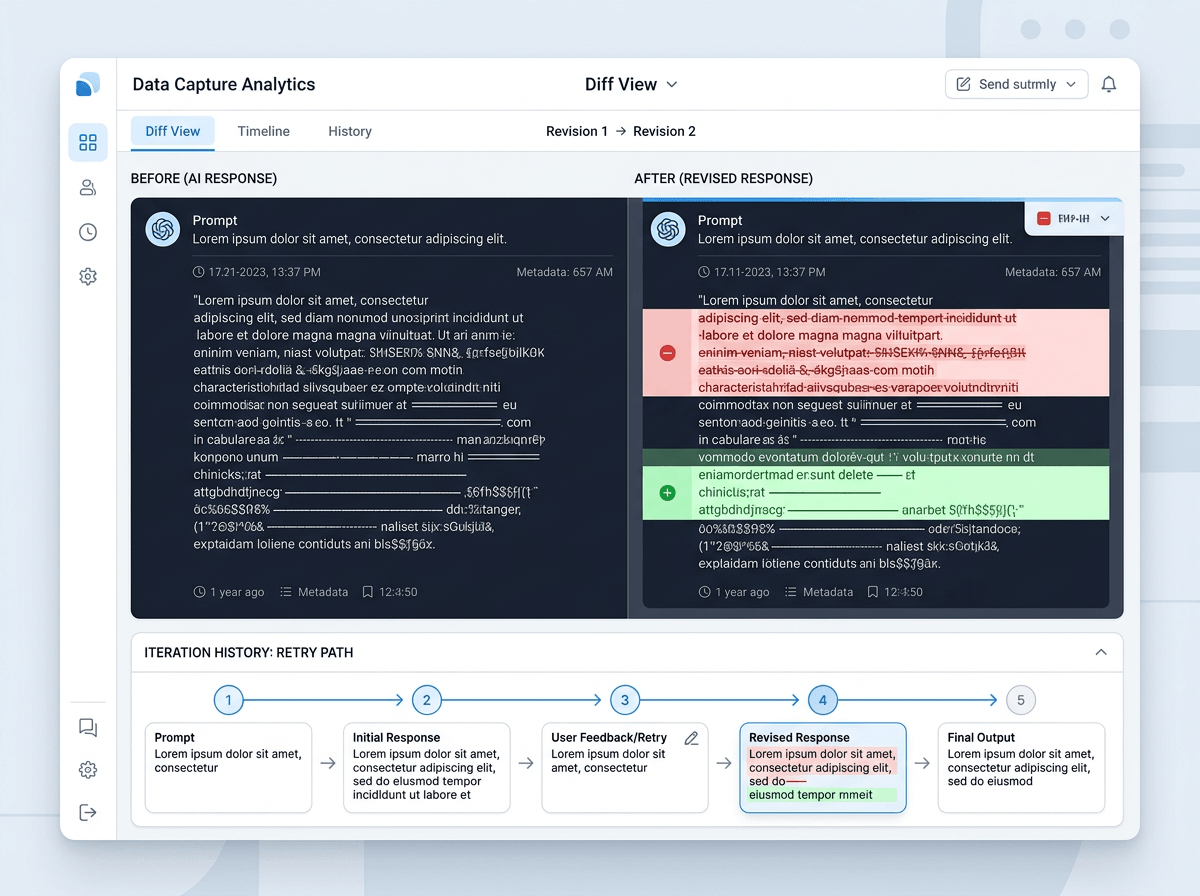
That filtering starts when a user hits “report” or “edit,” not when your team opens a spreadsheet. In the product, capture three things by default: a short reason code (wrong, unsafe, missing info, formatting), the minimal snippet needed to reproduce, and the model/version plus key settings. If the user made an edit, store the before/after diff instead of the whole conversation. If they retried, store the retry path (what they changed) rather than every intermediate output.
Then add one deliberate speed bump for the risky cases. If the reason code is “contains sensitive data” or the text matches a simple PII detector, require the user to confirm redaction or route the item to a restricted review queue. This costs time and will lower your feedback volume, especially early on, but it prevents “helpful” examples from turning into access requests and compliance work.
Finally, sample and cap. Pull a fixed number per week per failure type, and ignore the rest.
Who labels what—and how quality stays consistent week after week
When the team is busy, the review queue turns into “whoever has time,” and that’s when labels drift. One person marks an answer “wrong” because it’s missing a citation; another marks the same pattern “acceptable” because it’s directionally right. After a few weeks, you can’t tell whether the model changed or the definition of “good” did.
Split the work by intent. Let support or PMs do fast triage: bucket items by reason code and pick the week’s sample. Reserve “training-grade” labeling for a small, stable group (often 1–3 people) who use a short rubric and label in pairs on the same 10–20 examples each week. Track agreement and require a quick resolution note when they disagree. It’s boring, but it keeps the target steady.
Expect a cost: reviewers need context, tools, and protected access, and their throughput will be lower than you want. Once labels stabilize, you’re ready to update the model in a way that won’t create new surprises.
Updating the model without surprises: evals, holdouts, and safe rollouts
Once labels stabilize, the temptation is to retrain and push the new model because the queue “looks better.” What usually happens next is a quiet regression: a few core flows get worse, and you only notice when a big customer asks why the output changed on March 18 instead of “last week.” Treat every update like a release, not a refresh.
Keep a small holdout set that never enters training. It should include your top failure modes and a slice of normal traffic, pinned to real inputs you’re allowed to store. Run a simple evaluation every time: pass/fail checks for safety and formatting, plus a side-by-side preference test on 50–200 items. If the new model wins overall but loses badly on one critical case type, don’t ship it.
Roll out in steps: internal users, then 1–5% canary, then wider. Log model version on every request, and set an automatic rollback trigger tied to the same high-intent signals you trust. The hard part is speed: these gates slow “continuous” improvement, but they keep you from shipping surprises as a habit.
Your first 30 days: pick three signals, ship one loop, then tighten the guardrails
Those gates feel slow until you run them on a calendar. In the first 30 days, pick three signals you can actually act on: one high-intent correction (edit diff or side-by-side pick), one reliability signal (retry rate or task abandonment), and one safety/PII flag that routes to a restricted queue. Then ship one loop end to end: sample 50–100 items a week, label with a two-page rubric, retrain on a fixed cadence, and run the same holdout eval before any rollout.
Expect the hard part to be ops, not ML. Someone will need to chase missing context, resolve label disagreements, and say “no” to logging requests that create privacy work. After two weekly cycles, tighten guardrails: cap volume per reason code, add a rollback threshold tied to your high-intent signal, and expand the holdout only when you can keep it clean.